
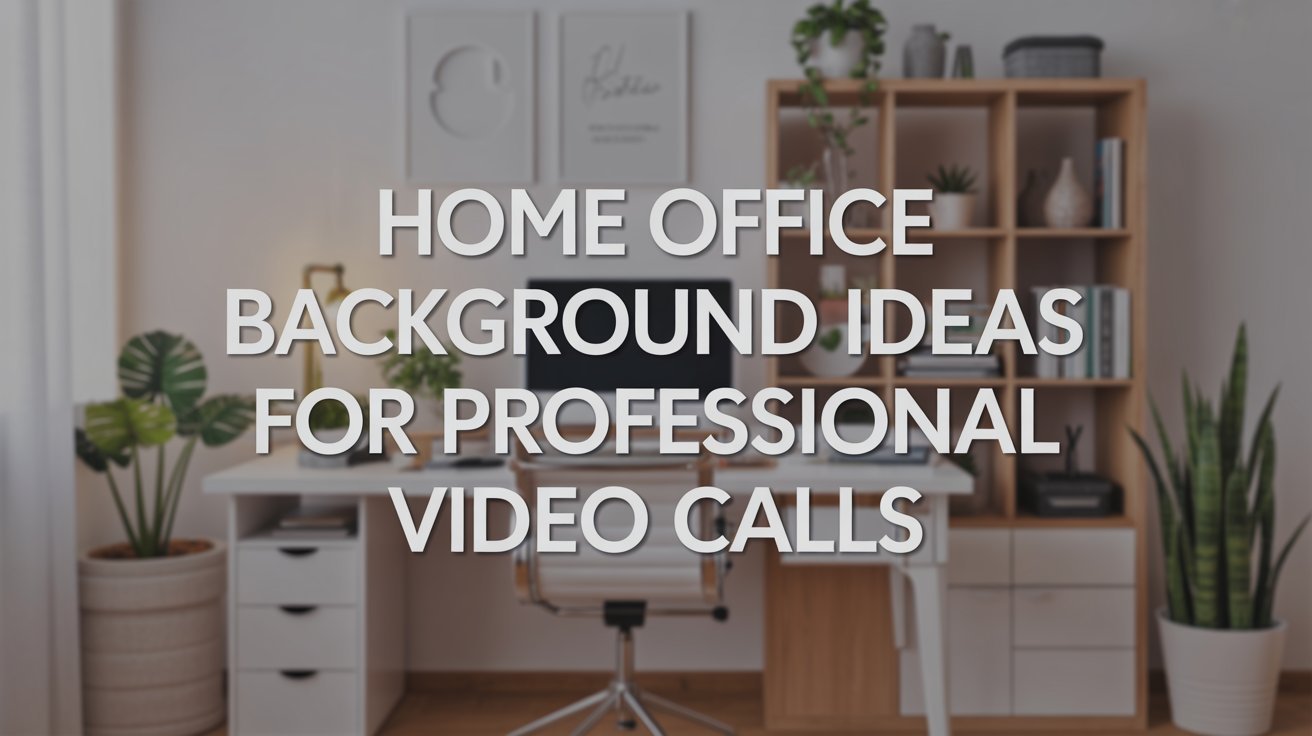
Remote work has changed how we present ourselves professionally. Video calls are now a daily part of work life, and what appears behind you matters more than ever. Your background sends a message about who you are and how seriously you take your work.
The good news? Creating a great home office background doesn’t require a big budget or major construction. Just like people search for Small Water Closet Ideas to make the most of tight bathroom spaces, you can use smart design choices to make your office space look polished and professional.
This guide will show you practical ways to create a background that looks good on camera. You’ll learn what makes a background work, get specific ideas you can use right away, and find tips to avoid common mistakes.
What Makes a Great Home Office Background for Video Calls?
A professional background starts with removing personal clutter from view. Keep family photos, laundry piles, and random items out of the camera’s frame. Your coworkers and clients don’t need to see your private life during business calls.
Lighting plays a huge role in how your background looks. Bad lighting can make even the nicest setup look poor on camera. Make sure your space has enough light, but avoid having bright windows directly behind you. This creates shadows and makes it hard to see.
The best backgrounds show some personality without going overboard. You want people to focus on you and what you’re saying, not on what’s behind you. Choose items that look intentional and neat. A few books, a plant, or a simple artwork work better than a wall full of stuff.
Best Home Office Background Ideas
Here are proven ways to create a background that looks great on video calls.
1. Wallpaper or Wall Decals

Wallpaper can quickly change a plain wall into something that looks finished and polished. You can choose from thousands of patterns and colors to match your style. A simple geometric pattern or subtle texture adds visual interest without being too busy.
Vinyl backdrops and peel-and-stick options work great for renters who can’t paint or make permanent changes. These are easy to put up and take down without damaging walls. Much like people use creative Small Water Closet Ideas to update rental bathrooms without losing their deposit, removable wallpaper lets you personalize your office space temporarily. Custom designs are also available if you want something unique that reflects your brand or personality.
2. Brick or Industrial Style Walls

Brick walls give your office a modern, professional look that works well on camera. Real exposed brick is ideal if your home already has it, but most people need to use faux brick panels instead. These panels look surprisingly realistic and cost much less than real brick.
The industrial style creates a productive, focused feeling in your workspace. It looks clean and intentional without requiring much decoration. Stick and peel brick alternatives are another option that goes up easily. You can cover just one wall or section to create an accent area behind your desk. This style works especially well for creative professionals, consultants, and anyone wanting a contemporary look.
3. Accent Wall with Texture

Adding texture to your wall creates depth and makes your background more interesting on camera. Decorative panels come in many styles, from wood grain to geometric shapes. They catch the light differently from flat walls and add a professional touch to your setup.
Peel-and-stick tiles are another way to add texture without commitment. These work well for renters or anyone who might want to change their look later. You can create patterns or cover the entire wall. The texture shows up well on video without being distracting. This approach is similar to how Small Water Closet Ideas often focus on adding texture through tiles or panels to make small spaces feel bigger and more finished.
4. Strategic Color Selection

The color of your wall affects how you look and feel during video calls. Green walls promote balance and are easy on the eyes during long meetings. This color helps reduce eye strain and creates a calm environment. Blue is another smart choice that promotes efficiency and focus.
Yellow backgrounds add energy and creativity to your space, but use this color carefully since it can be overwhelming. Red should be used sparingly or only as an accent, as it can be too stimulating for long work sessions. Neutral colors like gray, beige, or soft white work well if you want a simple, timeless background. When choosing colors for your office, think about them the same way you would consider Small Water Closet Ideas, where the right color can make a space feel larger and more inviting.
5. Built-In Shelving and Cabinetry

Shelving behind you creates an instantly professional, studious appearance on video calls. It shows you’re organized and serious about your work. Built-in shelves look best, but standalone bookcases work too if you style them carefully.
Use your shelves for practical storage while also displaying curated items that send the right message. Books related to your industry, diplomas, certificates, and tasteful art pieces all work well. Keep the arrangement neat and intentional, not cluttered. Leave some space so the shelves don’t look overwhelming on camera. This gives you a background similar to what you might see in a doctor’s office or lawyer’s office, adding instant credibility to your professional image.
6. Fabric Panels and Banners

Fabric panels offer a portable, affordable way to create a professional background quickly. You can hang a simple piece of fabric in a solid color behind you, or invest in a proper backdrop stand. These are especially useful if you work in different locations or need to set up and take down your office regularly.
Branded banners work well for business owners and entrepreneurs who want to promote their company during calls. You can get custom banners printed with your logo and colors. These look professional and help with brand recognition. The setup is simple. Just hang the banner on the wall behind you or use a stand. Fabric options are also great for hiding less-than-ideal backgrounds when you need a quick fix.
7. Natural Wood Elements

Wood walls create a warm, inviting feeling that still looks professional on camera. Real wood plank walls are beautiful, but expensive and permanent. Printed wood panels or peel-and-stick options give you the same look for much less money and effort.
Wood tones work with almost any decorating style and never go out of fashion. Shiplap looks clean and modern, while reclaimed wood styles add character and interest. The natural texture of wood shows well on video and provides a neutral background that won’t distract from you. Just like homeowners combine Small Water Closet Ideas with natural materials to create spa-like bathroom spaces, adding wood elements to your office creates a comfortable, professional atmosphere that puts people at ease during video calls.
8. Gallery Wall with Framed Artwork

A gallery wall creates visual interest while maintaining a professional appearance. Choose frames in matching colors and styles for a coordinated look. Black, white, or wood frames work well and create unity across different pieces.
Select an artwork that reflects your field or interests without being controversial. Abstract prints, landscapes, or simple line drawings work better than personal photos or bold statements. Arrange frames in a grid pattern for a structured look, or use an asymmetric layout for a more creative feel. Keep spacing consistent and make sure nothing hangs crooked on camera.
9. Living Plant Wall or Greenery Display

Plants add life and color to your background while improving air quality in your workspace. A vertical garden or plant shelf creates a fresh, organic look that appears healthy and vibrant on video. Choose low-maintenance plants like pothos, snake plants, or ZZ plants that thrive indoors.
Arrange plants at different heights to create depth and visual interest. Wall-mounted planters save desk space while providing a green backdrop. Make sure plants look healthy and well-maintained, as wilted or dying plants send the wrong message. This natural approach works especially well for wellness professionals, environmental consultants, or anyone wanting a calming atmosphere.
10. Acoustic Panels for Sound and Style

Acoustic panels serve two purposes: improving audio quality and creating a modern, professional look. These padded panels absorb sound, reducing echo and making your voice clearer during calls. They come in various colors and patterns to match your office style.
Install panels in a deliberate pattern on the wall behind you. Hexagonal or square panels arranged in geometric designs look intentional and contemporary. Neutral colors like gray, charcoal, or tan blend well with most setups, while colored panels can add personality. This solution works particularly well for podcasters, content creators, or anyone doing frequent video work.
11. Pegboard Organization System

Pegboard walls offer both function and style for your video background. Paint the pegboard in a color that complements your space, then add hooks, shelves, and holders to organize supplies. The organized appearance shows you’re efficient and detail-oriented.
Keep items on the pegboard relevant to your work and arranged neatly. Tools, office supplies, or curated objects can all work depending on your profession. This background suits creative professionals, makers, designers, and anyone who wants to show their practical, hands-on approach. Just avoid overcrowding the board, which can look messy on camera.
12. Minimalist Solid Wall

Sometimes the simplest approach works best. A plain, solid-colored wall with nothing on it creates a clean, modern look that puts all focus on you. This works especially well if your office has good lighting and you prefer a no-fuss setup.
Choose a neutral color that flatters your skin tone on camera. Soft whites, light grays, or warm beiges work for most people. This background requires minimal maintenance and never goes out of style. It’s ideal for professionals who want to appear serious and focused without any distractions.
13. Cork Board or Bulletin Board Display

A large corkboard provides a practical background that can be updated easily. Pin up industry-related articles, project timelines, inspiration images, or work samples. This background shows you’re actively engaged with your field and stay current.
Keep the board organized with clear sections and consistent spacing. Use matching pins or clips for a cohesive look. Avoid cluttering the board with too many items or personal notes that don’t relate to work. This approach suits project managers, creative directors, teachers, and anyone who wants to show their active work process.
14. Minimalist Floating Shelves

Floating shelves create a streamlined look without the bulk of full bookcases. Mount two or three shelves at different heights behind you and style them with carefully chosen items. Less is more with this approach.
Display a mix of books, small plants, and decorative objects. Leave plenty of space on each shelf to maintain the clean, minimal aesthetic. White or natural wood shelves work with most office styles. This background appears organized and intentional without looking cluttered or trying too hard.
15. LED Strip Lighting or Neon Accents

LED strip lights mounted behind you or along shelving edges create a modern, tech-forward look. Choose warm white or a single accent color that complements your space. The soft glow adds depth and dimension to your background on camera.
Neon signs with your company name, a motivational word, or an industry symbol can add personality while staying professional. Keep lighting subtle rather than bright or distracting. This approach works well for tech professionals, creative agencies, startups, and modern brands that want to appear current and innovative.
16. Company Logo or Brand Wall

Display your company logo, mission statement, or brand colors prominently behind you. This reinforces your professional identity and builds brand recognition during client calls. A large printed logo or cut vinyl letters on the wall create a polished, corporate look.
If you work for yourself, consider creating a personal brand background that reflects your services. Keep the design clean and readable on camera. This approach particularly suits sales professionals, consultants, coaches, and business owners who regularly meet with clients or prospects online.
17. Geographic or Travel-Inspired Background

A large world map, vintage travel poster, or geographic print adds interest while suggesting a global perspective. This works well for international professionals, travel industry workers, or anyone dealing with clients worldwide.
Choose a map style that fits your surroundings: modern and colorful, vintage and muted, or sleek and minimal. Avoid political maps that might create controversy. This background can spark conversation and help build rapport with international colleagues or clients from different regions.
18. Chalkboard or Whiteboard Surface

A chalkboard or whiteboard wall provides a functional background you can update for different calls. Write relevant quotes, draw simple diagrams, or display key points related to your current projects. This interactive approach shows flexibility and creativity.
Keep writing neatly and legibly on camera. Update the board regularly so it looks current and intentional. This background suits educators, trainers, consultants, designers, and strategists who want to show their teaching or planning capabilities.
19. Decorative Mirror Placement

A carefully placed mirror can add depth and light to your background without showing your camera’s reflection. Position a decorative mirror at an angle to reflect light or an attractive part of your room. This brightens your space and makes it feel larger on screen.
Choose a mirror with an interesting frame that matches your style. Modern metal, vintage wood, or minimalist frameless. Make sure the mirror reflects something appropriate and professional, not clutter or unmade areas of your home. The added dimension makes your background more visually interesting.
20. Window with Proper Treatment

If you have a window in your background, use it strategically rather than avoiding it. Install sheer curtains or adjustable blinds to control light without blocking it completely. The natural light and hint of outdoor view can make your space feel open and airy.
Position yourself so the window is to your side rather than directly behind you. This provides natural fill light while avoiding the silhouette effect. Keep window treatments clean and in good repair. This approach works well for home offices with good window placement and creates an honest, authentic home office feel.
21. Decorative Room Divider or Screen

Folding screens or room dividers create an instant background when your actual space isn’t camera-ready. Choose a design that fits your professional image. Solid colored, patterned, or with interesting textures. Three-panel screens work well for filling the space behind a typical desk setup.
This portable solution works great for people who work in shared spaces or need to move their office location. You can set up and break down your background as needed. Fabric screens, wood panels, or even decorative metal dividers all create visual interest while hiding whatever is actually behind you.
Essential Tips for Perfecting Your Background
Getting your background right takes more than just picking a wall treatment. You need to consider lighting, what to include, and what to avoid.
- Avoid positioning yourself with windows directly behind you, as this creates a dark silhouette effect.
- Position lights to face you from the front or sides for the most flattering look.k
- Balance natural light from windows with artificial lighting to prevent harsh shadows or overexposure. re
- Test your lighting at different times of day since natural light changes
- Don’t include Family photos and personal memorabilia that distract from business
- Don’t include Political items or sports team gear that might create bias
Pay attention to what your camera actually captures. Sit at your desk and record a test video to see exactly what shows in the frame. Many people are surprised to find that items they thought were out of view actually appear on camera. Make adjustments until everything looks clean and intentional.
Conclusion
Your home office background directly impacts how others see you professionally. A clean, thoughtful background builds credibility and shows you take your work seriously. The good news is that creating a great background doesn’t require expensive renovations or perfect spaces.
Start with one of the ideas from this guide that fits your budget and space. Whether you choose wallpaper, a brick look, colorful paint, or simple shelving, the key is keeping it neat and intentional.
Small changes make a big difference in how you come across on video calls. Pick one improvement to make this week. Your professional image will thank you, and you might even feel more confident and productive in your improved space. The time you spend setting up a good background pays off every single time you turn on your camera.
Frequently Asked Questions
What Should I Put Behind Me for a Video Call?
Choose neutral, professional items like bookshelves, simple artwork, or a plain wall. Plants add life without being distracting. Avoid personal photos, clutter, and anything controversial.
How Can I Make My Background Look Professional Without Spending Much?
Use peel-and-stick wallpaper or paint an accent wall in a neutral color. Rearrange existing furniture to hide clutter. Fabric panels and DIY solutions cost very little but look polished.
Is It Better to Use a Real Background or a Virtual One?
Real backgrounds look more natural and professional. Virtual backgrounds can appear fake and glitchy. However, virtual backgrounds work well as temporary fixes when your space isn’t camera-ready.
What Lighting Setup Works Best for Video Conferences?
Place a light source in front of you, facing toward your face. Avoid backlighting from windows. Use soft, diffused light rather than harsh direct light for the most flattering look.
How Do I Hide Clutter That’s Already in My Space?
Reposition your desk so the camera faces a cleaner wall. Use a room divider or curtain to block messy areas. Fabric panels can quickly cover cluttered spaces during calls.